WhatsApp Not Working in Tanzania 2026-2027
WhatsApp Not Working in Tanzania 2026-2027 does not automatically mean WhatsApp has been blocked or that there is a major national internet problem.
In many cases, the cause is much simpler: weak mobile signal, an expired data bundle, hotel Wi-Fi problems, incorrect phone settings or temporary network congestion.
Travellers can usually identify the problem by testing whether the rest of the internet works and then checking the phone, SIM card and WhatsApp application step by step.
Remote Tanzania travel requires extra patience because mobile coverage can change significantly between cities, national parks, mountain routes and islands.
WhatsApp Not Working in Tanzania: Quick Answer
- First: Check whether normal websites load
- Second: Switch between Wi-Fi and mobile data
- Third: Restart your phone
- Fourth: Confirm your Tanzania data bundle is active
- Fifth: Update WhatsApp
- Sixth: Check whether WhatsApp itself has an outage
- For travellers: Keep your original WhatsApp SIM available for verification
- In safari areas: Weak or missing signal may be completely normal
Why Is WhatsApp Not Working in Tanzania?
There are several possible causes.
The most common is a poor internet connection.
WhatsApp requires working mobile data or Wi-Fi to send messages, make calls, upload photographs and download videos.
If the connection is slow or unstable, messages may remain beside a clock symbol rather than being delivered.
1. Check Whether Your Internet Is Working
Before changing any WhatsApp settings, open a normal website in your phone browser.
If the website does not load, the problem is probably your internet connection rather than WhatsApp itself.
Try another application that requires internet access.
If nothing works, focus on your mobile data, Wi-Fi or SIM connection first.
Fast WhatsApp Connection Test
- Open a web browser.
- Try loading a normal website.
- Open another internet-based app.
- Switch from Wi-Fi to mobile data.
- Try sending a WhatsApp message again.
2. Switch between Mobile Data and Wi-Fi
This is one of the fastest ways to identify the problem.
If WhatsApp works on mobile data but stops working on hotel Wi-Fi, the Wi-Fi network is probably the issue.
If it works on Wi-Fi but not mobile data, check your Tanzanian SIM, data bundle and phone network settings.
This simple comparison can prevent unnecessary changes to the WhatsApp account.
3. Restart Your Phone
A phone restart can solve temporary network and application problems.
Turn the device completely off, wait briefly and switch it back on.
After reconnecting to the network, open WhatsApp again and test a message.
4. Turn Airplane Mode On and Off
Airplane mode forces the phone to disconnect and reconnect with mobile networks.
Turn airplane mode on, wait briefly and then disable it.
This can help when a phone has difficulty reconnecting after leaving an area with no coverage.
5. Check Your Tanzania Mobile Data Bundle
Travellers can sometimes have a strong network signal but no usable internet because their data bundle has expired or been fully consumed.
Check the balance through the network provider's application, service menu or customer support.
Adding a new data package may immediately solve the problem.
WhatsApp Not Working on Vodacom Tanzania
If you are using a Vodacom Tanzania SIM, first check that the phone shows mobile signal and that mobile data is turned on.
Then confirm that you have an active data bundle.
If normal websites also fail to load, restart the phone and check the network settings before assuming WhatsApp itself has a problem.
WhatsApp Not Working on Airtel Tanzania
Airtel users should follow the same basic process.
Check mobile-data settings, confirm available data and switch between mobile data and Wi-Fi.
If the SIM was recently installed, make sure the phone has completed its network configuration correctly.
WhatsApp Not Working on Yas Tanzania
Yas users should check the network signal and active data balance first.
If websites work but WhatsApp does not, restart WhatsApp and update the application.
If no internet service works, contact the mobile provider or check the phone's network configuration.
WhatsApp Not Working on Halotel
Halotel users can troubleshoot by checking data availability, mobile-data permissions and network signal.
Moving to another location may also help if the current area has weak coverage.
6. Check Mobile Data Permission for WhatsApp
Some phones allow mobile-data access to be disabled for individual apps.
If WhatsApp has been restricted, other applications may work normally while WhatsApp remains offline.
Open the phone's settings and confirm that WhatsApp is permitted to use mobile data.
7. Check Background Data
Background-data restrictions can affect message delivery and notifications.
If WhatsApp only receives messages after you manually open the application, check whether battery saving or background-data settings are limiting it.
Allowing appropriate background activity can restore normal notifications.
8. Update WhatsApp
An outdated WhatsApp version can eventually create compatibility problems.
Visit the official application store for your phone and check whether an update is available.
Use the official WhatsApp application rather than unofficial modified versions.
9. Update Your Phone Software
Very old operating-system versions can become incompatible with newer app releases.
Check for system updates if WhatsApp repeatedly crashes or refuses to open.
Always back up important phone data before major operating-system changes.
10. Close and Reopen WhatsApp
Completely closing the app and reopening it can solve a temporary application problem.
On some phones, restarting the device is more effective if WhatsApp continues to freeze.
11. Check Phone Storage
A phone with almost no free storage can behave unpredictably.
WhatsApp may struggle to download media, create temporary files or perform updates.
Delete unnecessary videos, photographs or applications if storage is critically low.
If WhatsApp Opens but Media Does Not Download
- Check internet speed
- Check free storage
- Update WhatsApp
- Try Wi-Fi instead of mobile data
- Restart the phone
- Check whether WhatsApp is experiencing an outage
12. Check APN Settings
APN settings tell a smartphone how to connect to a mobile provider's internet service.
If the settings are incorrect, the SIM can show signal while mobile internet fails.
This is especially relevant after manually changing settings, moving a SIM between devices or using an unusual phone model.
The mobile provider can supply the correct APN information when necessary.
13. Check Dual-SIM Settings
Many international travellers use two SIM cards at the same time.
One may be their home number and the other a Tanzanian SIM.
Make sure the Tanzanian SIM with the active data package is selected as the mobile-data SIM.
Otherwise, the phone may attempt to use the home SIM or a line without data.
Can I Use WhatsApp with My Home Number and a Tanzania SIM?
Yes.
Changing the SIM used for mobile data does not normally require changing your WhatsApp account number.
You can continue using WhatsApp with your existing international number while receiving internet through a Tanzanian SIM.
This is often the easiest setup for travellers.
Do Not Change Your WhatsApp Number Unnecessarily
When a traveller inserts a Tanzanian SIM, WhatsApp may notice that the phone's SIM number is different from the account number.
This does not mean you have to switch your WhatsApp account to the Tanzanian number.
If you want to keep your existing WhatsApp identity and conversations associated with your home number, continue using that account.
Keep Access to Your Original SIM
This is particularly important if WhatsApp later asks for account verification.
Verification may require receiving an SMS or phone call on the number registered with WhatsApp.
Travellers should therefore avoid losing access to their home SIM during a long international trip.
WhatsApp Verification Code Not Arriving in Tanzania
If the WhatsApp verification code does not arrive, confirm that the telephone number and country code are correct.
The SIM associated with the number must also be able to receive the required SMS or phone call.
Using a Tanzanian data SIM does not automatically allow you to receive verification for an unrelated foreign number.
International Roaming and WhatsApp
WhatsApp itself does not require a Tanzanian number.
It works through internet data.
If your home SIM has international roaming and an active data service, WhatsApp may work normally in Tanzania.
However, roaming data can be expensive depending on your provider.
WhatsApp Works but Roaming Charges Are High
WhatsApp calls, photos and videos all consume internet data.
When using international roaming, this can create additional charges.
Travellers can reduce costs by using hotel Wi-Fi or a properly registered Tanzanian SIM for mobile data.
WhatsApp Not Working on Hotel Wi-Fi
Hotel Wi-Fi can sometimes be the cause even when the Wi-Fi icon appears strong.
The internet connection behind the router may be slow, temporarily offline or overloaded by many users.
Switch off Wi-Fi and test WhatsApp through mobile data.
If it immediately works, the problem is probably the hotel network.
Hotel Wi-Fi Login Page
Some hotels require guests to accept terms or enter a password through a browser before internet access begins.
A phone can appear connected to Wi-Fi even though internet access has not yet been authorized.
Open a browser and check whether a hotel login page appears.
WhatsApp Not Working in Arusha
Arusha normally has widespread mobile-data and hotel Wi-Fi availability.
If WhatsApp stops working there, first investigate the phone, data package or particular Wi-Fi network rather than assuming the entire city has no service.
Switching network connection is an effective first test.
WhatsApp Not Working in Moshi
Moshi generally has mobile connectivity across populated areas.
Kilimanjaro travellers should arrange and test their Tanzanian SIM in town before leaving for the mountain.
This gives time to solve registration, data-package or phone-setting problems before entering areas with weaker coverage.
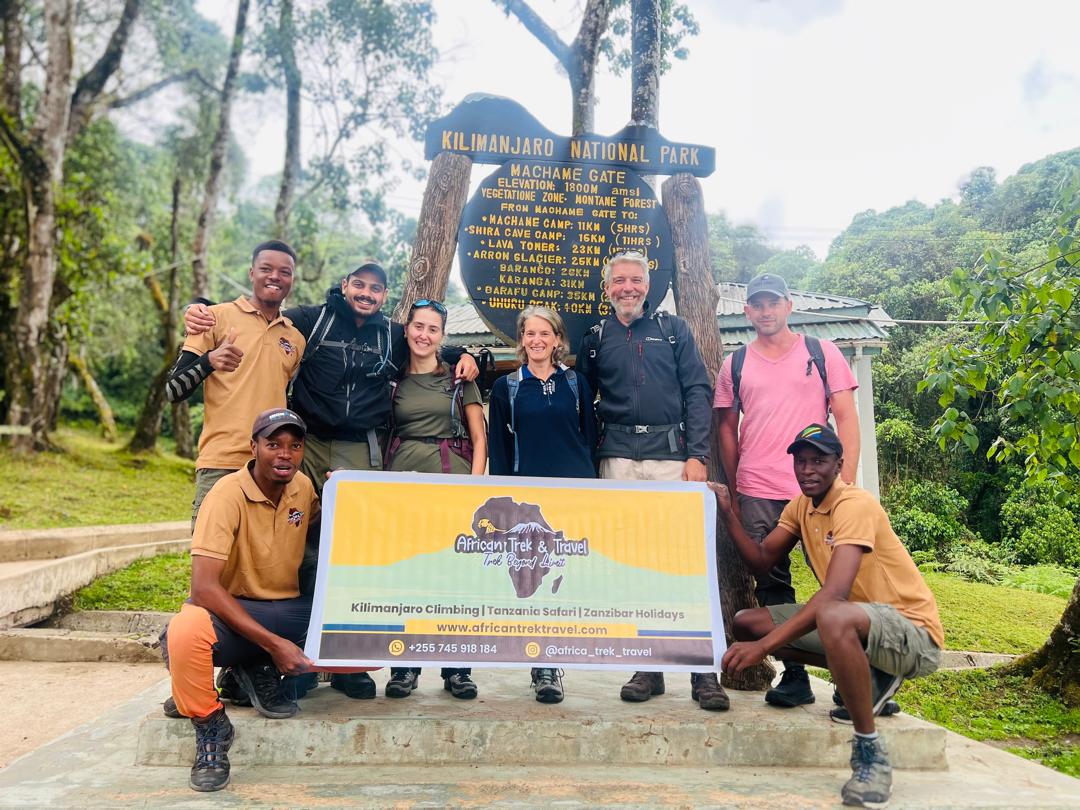
WhatsApp Not Working on Kilimanjaro
Intermittent WhatsApp connectivity on Kilimanjaro is normal.
Mobile signal is affected by terrain, elevation, the network provider and location on the mountain.
There may be signal at one camp and little or none at another.
Climbers should not expect continuous internet connectivity throughout a Kilimanjaro trek.
If WhatsApp Stops Working on Kilimanjaro
- Do not continuously search for signal
- Use airplane mode to preserve battery
- Try again when reaching another camp
- Keep your power bank available
- Do not assume no WhatsApp means an emergency
- Inform relatives before the climb that coverage is inconsistent
WhatsApp Not Working in Serengeti
Serengeti contains huge remote areas where mobile connectivity is naturally inconsistent.
Some lodges, camps and areas near infrastructure may have signal while remote game-drive locations may have none.
A clock beside an unsent WhatsApp message can simply mean the phone has lost internet connection.
The message may send automatically after signal returns.
WhatsApp Not Working in Ngorongoro
Ngorongoro terrain can affect mobile reception.
Signal can differ between the crater rim, roads, accommodation areas and lower sections.
Lodge Wi-Fi may provide an alternative in some properties.
WhatsApp Not Working in Tarangire
Remote sections of Tarangire can also have weak or unavailable signal.
Travellers should not depend on WhatsApp for constant communication during game drives.
Messages can normally be sent after reaching a better coverage area or lodge Wi-Fi.
WhatsApp Not Working in Zanzibar
Zanzibar generally has mobile data and hotel Wi-Fi across major tourism areas, but local coverage still varies.
If WhatsApp stops working in Nungwi, Kendwa, Paje, Jambiani, Matemwe or Stone Town, test whether another website loads.
Switch between Wi-Fi and mobile data before changing account settings.
WhatsApp Not Working in Dar es Salaam
Dar es Salaam normally has extensive mobile connectivity.
If only your device is affected, an individual network, phone or data-package issue is more likely than a citywide loss of service.
Testing a different Wi-Fi network or mobile provider can help identify the cause.
Could WhatsApp Itself Be Down?
Yes.
WhatsApp occasionally experiences global or regional service problems.
During a WhatsApp outage, normal websites and other apps may continue working while WhatsApp messages, calls or media fail.
If the problem affects many users at the same time, changing your SIM settings will not solve it.
How to Check a WhatsApp Outage
Check whether other people are experiencing the same problem.
Service-monitoring websites, current technology news and official WhatsApp communications can help identify widespread disruptions.
If there is a confirmed outage, the practical solution is normally to wait for the service to recover while using another communication method if necessary.
Is WhatsApp Blocked in Tanzania?
Travellers should not assume that an individual WhatsApp connection problem means the service is permanently blocked in Tanzania.
Tanzania has experienced broader internet and communication disruptions during some past periods, so national network conditions can occasionally become relevant.
However, day-to-day WhatsApp problems are often caused by ordinary internet, phone or provider issues.
Check current information before concluding that a government or national restriction is responsible.
Tanzania Internet Shutdowns and WhatsApp
A nationwide or large-scale internet disruption affects much more than a single WhatsApp account.
Websites, social-media platforms and other internet services may also become unavailable or unreliable.
In that situation, changing WhatsApp settings will not restore normal connectivity.
Travellers should follow reliable current information and maintain alternative communication arrangements where necessary.
Should You Use a VPN for WhatsApp in Tanzania?
A VPN should not be treated as the standard solution to ordinary WhatsApp connection problems.
WhatsApp's own troubleshooting information warns that VPN services can themselves interfere with connectivity.
If WhatsApp is failing while a VPN is active, disconnect the VPN and test the application again through a normal mobile-data or Wi-Fi connection.
WhatsApp Not Working with VPN
If the app stopped connecting after the VPN was enabled, turn the VPN off.
Restart WhatsApp and test the connection.
A complicated VPN setup can make troubleshooting harder because it adds another network layer between the phone and WhatsApp.
WhatsApp Web Not Working in Tanzania
WhatsApp Web requires a working connection on the computer and access to the WhatsApp web service.
If it stops working on hotel, office or university Wi-Fi, try another network or a mobile hotspot.
Refreshing the page, clearing the browser cache or logging out and back in may also help.
Hotel or Office Networks Can Restrict WhatsApp Web
Some managed Wi-Fi networks restrict particular websites or communication services.
If WhatsApp Web works normally through your phone hotspot but not the building's Wi-Fi, the local network configuration may be responsible.
WhatsApp Calls Not Working in Tanzania
Voice and video calls require stronger and more stable internet than ordinary text messages.
A weak connection may allow messages to send while calls repeatedly disconnect.
Try moving to an area with stronger signal or switching to reliable Wi-Fi.
WhatsApp Video Calls Not Working
Video calls consume more bandwidth than audio calls.
Safari lodges and remote hotels may have enough internet for text messages but not enough for smooth video.
Turning off video and using an audio call can improve reliability.
WhatsApp Photos Not Sending
If text works but photographs remain unsent, the network may simply be too slow for larger files.
Wait for a stronger mobile signal or connect to better Wi-Fi.
Also check that your phone has enough storage space and that WhatsApp is up to date.
WhatsApp Videos Not Sending
Video files can be much larger than photos and require more stable bandwidth.
Travellers on safari should consider sending videos later from hotel Wi-Fi rather than repeatedly attempting uploads in weak-signal areas.
WhatsApp Messages Showing a Clock Symbol
A clock beside a WhatsApp message means it has not yet been sent from your device.
This commonly indicates that the application does not currently have a usable internet connection.
Check signal, mobile data and Wi-Fi.
WhatsApp Messages Showing One Tick
One tick generally means the message has left your device but has not yet reached the recipient's device.
The problem may therefore be on the recipient's side rather than yours.
The other person may have no internet, their phone may be off or their WhatsApp service may not currently be connected.
Not Receiving WhatsApp Notifications
If messages appear only after opening WhatsApp, check phone notification permissions, background app activity and battery-saving settings.
The problem may be notification delivery rather than the internet connection itself.
Battery Saver Can Affect WhatsApp
Some aggressive battery-saving settings restrict background applications.
This can delay notifications even though WhatsApp works normally after opening it.
Adjust the phone's battery optimization settings if necessary.
Should You Delete and Reinstall WhatsApp?
This should not normally be the first troubleshooting step.
Reinstallation can require account verification and may create unnecessary complications if the traveller no longer has easy access to the registered SIM.
Try connection troubleshooting, restarting and updating first.
Back Up Chats before Reinstalling
If reinstallation genuinely becomes necessary, make sure important chats are backed up where possible.
Also make sure you can receive verification through the phone number linked to the WhatsApp account.
Do Not Clear Important WhatsApp Data Randomly
Deleting application data without understanding the effect can remove local information or create another sign-in process.
Travellers should start with less disruptive troubleshooting steps.
Best WhatsApp Setup for Tanzania Travellers
Recommended Setup
- Keep your normal WhatsApp number
- Use a registered Tanzania SIM for mobile data
- Keep access to your original SIM
- Turn off unnecessary international roaming
- Use hotel Wi-Fi when reliable
- Carry a power bank
- Keep WhatsApp updated
- Save important contacts offline
WhatsApp for Tanzania Safari Communication
WhatsApp is widely useful for communication between travellers, drivers, guides, hotels and tour operators.
However, important safari logistics should not depend entirely on instant internet access once the traveller enters remote national parks.
Confirm pickup times and the following day's plan while you have a working connection.
WhatsApp for Airport Pickup
Before flying into Tanzania, save the driver's number and send your flight details in advance.
If WhatsApp fails immediately after landing, the driver should still have the confirmed flight information and agreed meeting point.
Saving the number in your phone also allows normal calls or SMS if appropriate.
WhatsApp for Safari Operators
Most travel communication can be handled easily through WhatsApp when internet is available.
Travellers should save the operator's telephone number outside WhatsApp as well.
This gives another contact method if the application is unavailable.
WhatsApp for Kilimanjaro Climbers
Climbers should send important messages before leaving Moshi.
Once on Kilimanjaro, communication can be intermittent.
Family members should understand that a delayed WhatsApp reply is normal and does not automatically mean something is wrong.
WhatsApp for Zanzibar Travellers
WhatsApp is particularly useful for arranging airport transfers, excursions and hotel communication in Zanzibar.
A local data SIM can make communication easier when away from hotel Wi-Fi during Stone Town tours, beach transfers or boat excursions.
What to Do If WhatsApp Stops Working before an Airport Transfer
Do not panic.
Use ordinary phone calls or SMS where available.
Hotel reception can also contact the driver or tour operator.
This is why important numbers should be saved directly in the phone rather than existing only inside a WhatsApp chat.
Alternative Communication Apps
If WhatsApp has a temporary service outage but the internet itself still works, travellers may use email or another messaging service already installed on both devices.
Normal voice calls and SMS can also remain useful.
Do not install several unknown communication applications during an emergency simply because an unofficial website recommends them.
How to Prepare before Travelling to Tanzania
- Update WhatsApp
- Check that your phone is unlocked
- Know whether your home SIM will work abroad
- Back up important chats
- Save tour operator numbers
- Save hotel contacts
- Carry a power bank
- Plan to purchase a registered local SIM if needed
- Download important travel documents offline
Frequently Asked Questions About WhatsApp Not Working in Tanzania
Does WhatsApp work in Tanzania?
WhatsApp can be used in Tanzania through mobile data or Wi-Fi. Connectivity quality depends on the internet connection and location.
Why is my WhatsApp not working in Tanzania?
Common causes include weak internet, an expired data bundle, Wi-Fi problems, incorrect mobile-data settings, an outdated WhatsApp application or a temporary WhatsApp outage.
Is WhatsApp blocked in Tanzania?
Do not assume an individual connection problem means WhatsApp is blocked nationally. Check whether ordinary internet services are working and verify current service information before reaching that conclusion.
Can I use WhatsApp with a Tanzanian SIM?
Yes. You can use mobile data from a Tanzanian SIM while continuing to use WhatsApp with your existing international phone number.
Do I need to change my WhatsApp number after buying a Tanzania SIM?
No. You normally do not need to change the WhatsApp account number simply because you are using another SIM for internet data.
Why does WhatsApp work on Wi-Fi but not mobile data?
Check whether your data bundle is active, whether WhatsApp has mobile-data permission and whether your phone is using the correct SIM for data.
Why does WhatsApp work on mobile data but not hotel Wi-Fi?
The hotel's internet may be slow, offline, overloaded or restricted. Try another Wi-Fi network or continue using mobile data.
Why is WhatsApp not working in Serengeti?
Mobile coverage is inconsistent across remote Serengeti areas. Messages may remain unsent until the phone reaches stronger mobile signal or lodge Wi-Fi.
Does WhatsApp work on Kilimanjaro?
It may work in selected areas, but signal is inconsistent and should not be expected throughout the climb.
Does WhatsApp work in Zanzibar?
Yes, provided there is working mobile data or Wi-Fi. Major Zanzibar tourism areas generally have internet access, although coverage and speed vary.
Should I use a VPN if WhatsApp is not working?
A VPN should not be the first troubleshooting step. If you are already using one, disconnect it and test WhatsApp on a normal internet connection because VPNs can themselves create connection problems.
Why is my WhatsApp verification code not arriving?
Make sure the registered number is correct and that you still have access to the corresponding SIM or phone service needed to receive verification.
Why are WhatsApp messages showing a clock?
A clock usually means the message has not yet been sent from your device, commonly because WhatsApp currently lacks a working internet connection.
Why do WhatsApp messages show only one tick?
One tick normally means the message has been sent from your phone but has not yet reached the recipient's device.
Can an expired Tanzanian data bundle stop WhatsApp?
Yes. Your phone may still display network signal even when no active internet bundle remains.
Should I reinstall WhatsApp while travelling?
Reinstallation should normally come after simpler troubleshooting because it may require account verification. Make sure you can access the registered number and have backed up important chats first.
Can I continue using my WhatsApp number from home?
Yes. Travellers can continue using their existing WhatsApp account while obtaining internet through a Tanzanian SIM or hotel Wi-Fi.
What should I do first when WhatsApp stops working in Tanzania?
Test another website, switch between mobile data and Wi-Fi, confirm your data bundle, restart the phone and update WhatsApp. If the rest of the internet works normally but WhatsApp still fails, check whether WhatsApp is experiencing a wider service problem.
Stay Connected During Your Tanzania Trip
Use a properly registered Tanzania SIM, keep your existing WhatsApp account, save important travel contacts offline and remember that remote safari and mountain areas may temporarily have little or no mobile signal. Good preparation makes communication much easier throughout Tanzania.
Plan Your Tanzania Trip


 African Tour